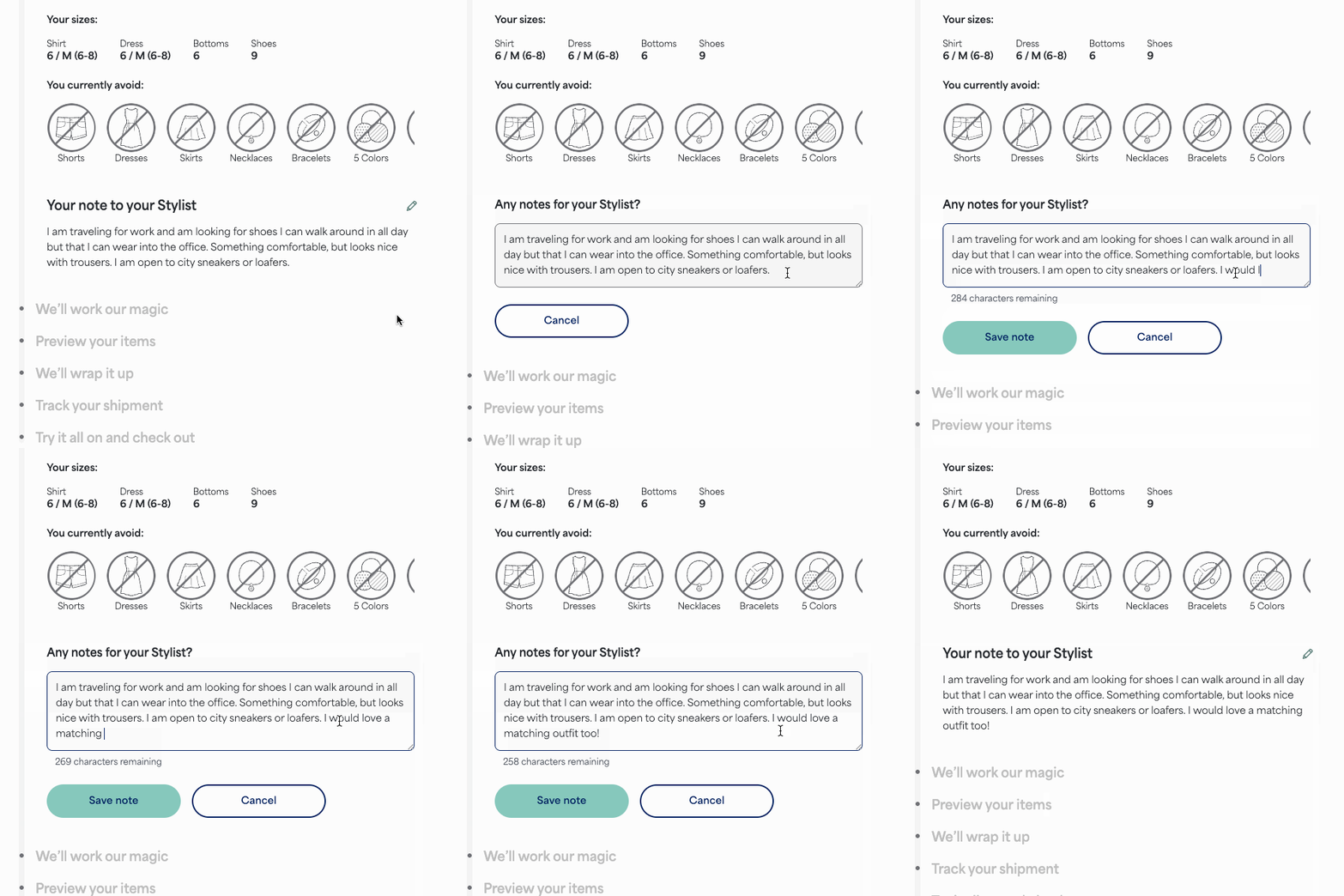
You can add or edit your Fix request note from the moment your Fix is scheduled until the Stylist is about to start styling it. This is a great place to let your Stylist know which pieces are missing from your wardrobe, any upcoming events to dress for, or trends you have your eye on.
How to Add a Note
- Go to your homepage of your account
- Select Write a note
- Once on the Fix page, scroll down to the Any notes for your Stylist? section
- Click into the text box and write a note
- Once finished, Select Save note
How to Update Your Note
- Go to your homepage of your account
- Select Review your note
- Once on the Fix page, scroll down to the Any notes for your Stylist? section
- Select the pencil icon in the upper right corner of that section
- Update your note and select Save note
Additional Information
We do our best to fulfill all requests, but sometimes specific items requested may be out of stock.
If you miss the opportunity to leave a note or choose not to, your Stylist will use your Style Profile, Freestyle purchases and likes, as well as your past Fixes to curate a personalized shipment.